Skip to results list
  • OFF
    37% OFF
  • OFF
    25% OFF
  • OFF
    31% OFF
  • OFF
    39% OFF
  • OFF
    30% OFF
  • OFF
    41% OFF
  • OFF
    15% OFF
  • OFF
    35% OFF

If you already have a USB-C wall adapter, you can often keep it when you upgrade to iPhone 18 Pro or Pro Max. Shopping for a new iPhone 18 charger makes more sense if you need a different setup. You might want faster wired top-ups, a shared charger for your desk, or a magnetic stand that gives your phone a place to charge at night.

Read full post
Show Less

Which iPhone 18 Charger Type Do You Need?

Both iPhone 18 Pro models use a USB-C to USB-C cable for wired charging. If your current USB-C Power Delivery (PD) wall adapter is compatible, you can keep using it for everyday charging. Apple includes a USB-C charging cable with both phones.
If you want a charger for iPhone 18 Pro that stays in your bag, the Nexode Air 45W is a compact single-port option with a folding plug. Choose it for everyday wired charging.
See the Nexode Air 45W USB-C charger.

Which iPhone 18 Charger Type Do You Need?

Check AVS for the Fastest Wired Top-Ups

When choosing an iPhone 18 Pro Max charger for short charging breaks, read the charging protocol as well as the wattage. Apple reports up to 50% charge in roughly 15 minutes in its test setup. For a third-party equivalent, Apple’s charging guide lists a 60W or higher USB PD 3.2 adapter with Adjustable Voltage Supply (AVS), used with the included USB-C cable or another USB-C cable rated for at least 60W.
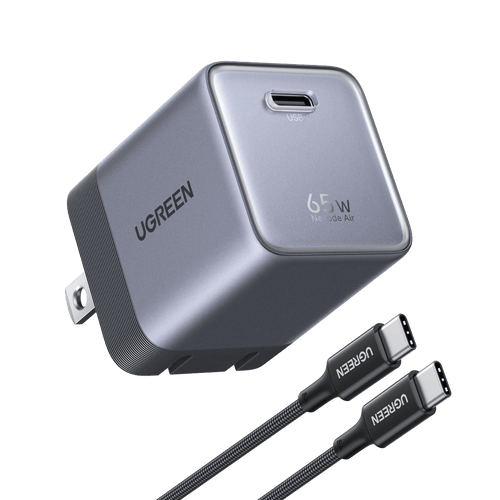
If you’re unsure which iPhone 18 charger type can match that benchmark, look for explicit AVS support on the adapter’s spec sheet. A 65W or 100W rating alone can tell you the adapter’s maximum output, but it doesn’t establish that Apple’s test conditions are met.
Browse USB-C charging cables.

Check AVS for the Fastest Wired Top-Ups

Check the Port Output When You Charge More Than One Device

If your iPhone 18 Pro Max charger also powers a laptop or tablet, check the output available to the phone with both devices plugged in. The total wattage on the charger may be shared across ports.
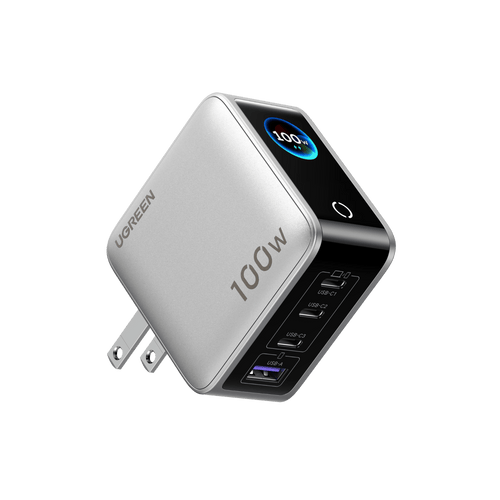
The Nexode Pro 100W charger has three USB-C ports, one USB-A port, and a display that shows the power in use. It’s an option if you want one charger for iPhone 18 Pro Max and other devices at a shared desk. Check the product’s port-output configurations for your setup.
See the Nexode Pro 100W charger with Smart Display.

Check the Port Output When You Charge More Than One Device

Pick an iPhone 18 Magnetic Charger for Your Nightstand

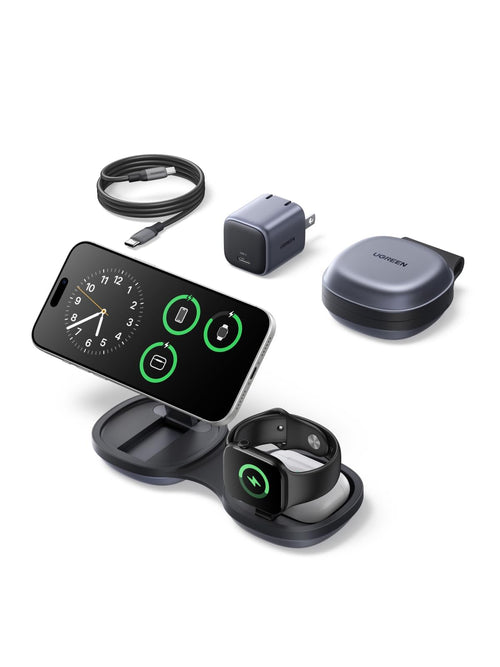
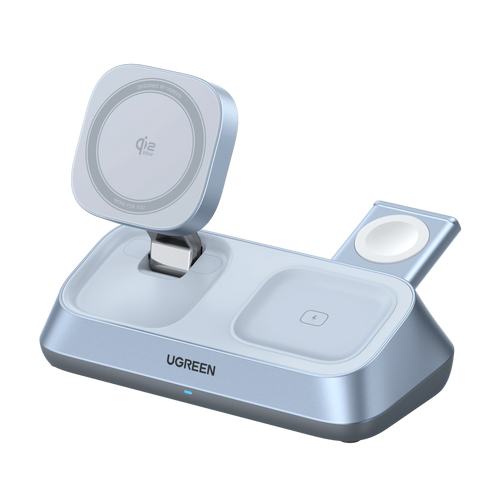
If your iPhone 18 magnetic charger only needs to power the phone, a single magnetic pad takes up less room. If you also charge an Apple Watch and a compatible wireless earbud case each night, a 3-in-1 stand gives each device its own charging spot.
Apple lists up to 25W wireless charging with compatible MagSafe or Qi2 equipment for iPhone 18 Pro and Pro Max. Check the pad or stand’s USB-C power adapter requirements to get the intended output.
Compare wireless iPhone chargers.

Pick an iPhone 18 Magnetic Charger for Your Nightstand

iPhone 18 Charger FAQs

Both phones use USB-C. For wired charging, pair a compatible USB-C Power Delivery wall adapter with a USB-C to USB-C cable. If you want to match Apple’s fastest wired charging setup, check the adapter’s AVS support.

A 65W rating alone does not establish that speed. Apple measured up to 50% in roughly 15 minutes using its 40W Dynamic Power Adapter with 60W Max. For a comparable third-party adapter, Apple lists at least 60W, USB PD 3.2, and Adjustable Voltage Supply (AVS). Use the included USB-C cable or a suitable USB-C cable rated for at least 60W.

Yes. Apple lists up to 25W with compatible MagSafe or Qi2 gear. For Apple’s wireless fast-charge benchmark, it specifies a compatible Apple MagSafe Charger and a 35W or higher adapter. With a third-party wireless iPhone charger, follow the pad or stand’s own input requirements.

A compatible USB-C PD adapter can still charge the phone at a supported rate. Keep using it for everyday charging if it meets your needs. Check for AVS and the required output if you want Apple’s fastest wired charging setup.

Yes. Check the output of the port you’ll use once other devices are connected. The total wattage on the adapter may be divided across ports. Read how multiport chargers share power.

Check the adapter’s output, the USB-C cable, and whether another device is sharing power. A warm phone, a nearly full battery, and heavy use can also slow charging. If the phone is charging wirelessly, check its alignment and the pad’s power input.

A compatible third-party USB-C PD adapter can charge either phone. Choose an adapter that meets applicable safety standards. To match Apple’s fastest wired charging reference, check the third-party adapter’s USB PD, AVS, and wattage specifications.

As of November 23, 2026, Apple’s U.S. lineup lists iPhone 18 Pro and iPhone 18 Pro Max. Apple has not listed specifications for a standard iPhone 18 in that lineup. The charging guidance here applies to the two Pro models.

Apple includes a USB-C charging cable with iPhone 18 Pro and Pro Max. The wall power adapter is sold separately.

You can use the USB-C cable that came with the phone. If you need a replacement, choose a USB-C charging cable rated for at least 60W for the fastest wired setup. The adapter also needs to meet Apple’s fast-charge requirements.