


Sort By: Featured
-
 40% OFF
 -
20% OFF
-
38% OFF





Charge Smarter with UGREEN iPhone Chargers
Safety First

Fast Charging Technology

Convenience at Your Fingertips

Why Choose UGREEN?

FAQ About iPhone Charger
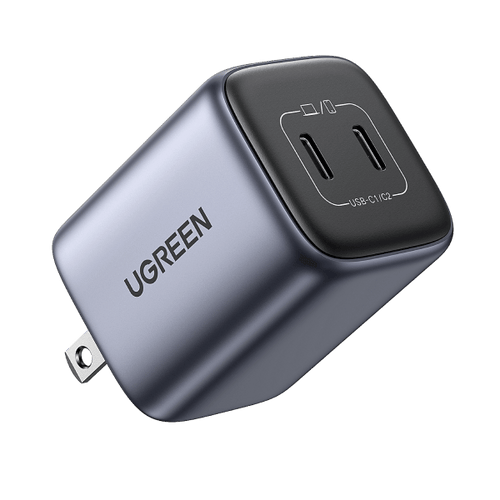
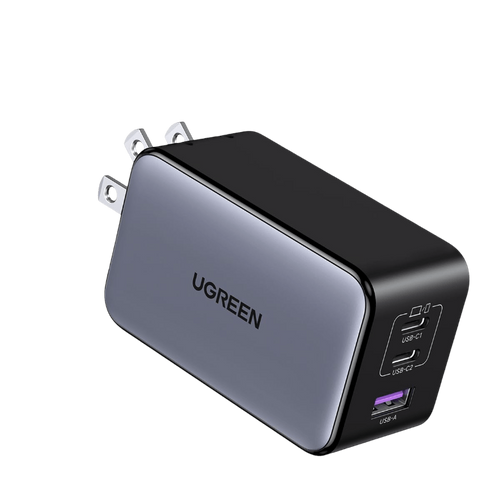
Go for a 30W iPhone charger instead of a 20W one if you’re using a newer iPhone. While iPhones don’t constantly pull the full 30W, the extra power helps deliver faster charging at the start and keeps performance steady during daily use. If you’re charging multiple devices, the UGREEN Nexode 45W GaN Wall Charger is a convenient option with two USB-C ports that automatically split power (25W and 20W).
Keeping your phone between 20% and 80% is a good idea to prolong battery life. Avoid letting it get too close to 0% to reduce battery stress, and try not to keep it constantly at 100%. Charging in smaller, more frequent sessions is better for long-term health.
1. Safety Certification and Build Quality: Look for reputable brands supporting USB-PD and safety standards like UL, CE, or FCC.
2. Power and Fast Charging: Choose 20W or higher (30W is the sweet spot for new models).
3. Charger Port Type: USB-C is recommended for modern fast charging.
4. Portability: Consider compact designs for travel.
5. Additional Features: Look for multiple ports or foldable plugs.
6. Price and Warranty: Balance cost with quality and warranty coverage.
Yes, any well-designed USB-C PD charger can safely charge an iPhone. Fast charging relies on the open USB-PD protocol. Ensure you use the appropriate cable (USB-C to Lightning or USB-C to USB-C) and choose chargers from reputable brands with certifications like UL, CE, or FCC.
To charge an iPhone without a charger, you have several options:
1. Connect it to a computer or laptop using a USB data cable.
2. Use a portable power bank.
3. Employ a wireless charger if your iPhone supports wireless charging.
4. Plug it into a car charger.
5. Harness solar energy with a solar charger.
6. Use a hand-crank generator for emergencies.
Read More: How to charge your phone without a charger
1. Identify Your iPhone’s Charging Port (Lightning vs. USB-C).
2. Check Official Recommendations from Apple.
3. Understand Charging Speed: Look for USB Power Delivery (USB-PD) support.
4. Consider Portability.
5. Brand and Quality: Check reviews and look for MFi-certified cables.
6. Compare Prices and Features.
For your iPhone, it's best to use a charger that is compatible with your device and meets your charging needs. Here are some options:
1. Apple's Official Charger: Using the charger that comes with your iPhone is always a safe choice. Apple's official chargers are specifically designed for iPhones and ensure compatibility and safety.
2. MFi-Certified Chargers: Look for chargers that are Made for iPhone (MFi) certified. These chargers have been tested and approved by Apple to meet their standards for quality and safety.
3. USB Power Delivery (PD) Chargers: If you want faster charging, consider a USB Power Delivery charger. These chargers can provide higher power output and are compatible with many iPhone models for faster charging.
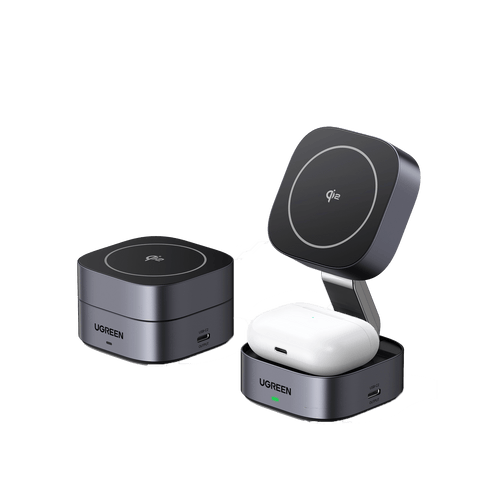
4. Wireless Chargers: If your iPhone supports wireless charging, you can use a Qi-compatible wireless charger. Just make sure it's compatible with your iPhone model and provides sufficient power for efficient charging.
5. Portable Power Banks: For charging on the go, a portable power bank can be handy. Look for one with enough capacity to charge your iPhone multiple times and consider features like fast charging and multiple ports.
If your iPhone isn't charging when the charger is plugged in, try these steps:
1. Ensure the charger is securely connected to both your iPhone and the power outlet.
2. Try using a different charging cable.
3. Clean the charging port on your iPhone.
4. Restart your iPhone.
5. Test with a different power outlet.
If the issue persists, consider replacing the charger or contacting Apple support.
Your iPhone charger may not be working due to these common reasons:
1. Faulty Charger or Cable: Check for any visible damage to the charger or cable. Try using a different charger or cable to see if the problem persists.
2. Dirty Charging Port: Clean the charging port on your iPhone with a soft brush or compressed air to remove any debris.
3. Software Issues: Restart your iPhone or update its software to the latest version to address any potential software glitches.
4. Power Outlet Issues: Try plugging the charger into a different outlet or using a different power source to rule out any issues with the outlet.
5. Device Issues: There may be underlying hardware issues with your iPhone that are preventing it from charging properly.