




FAQ About Bluetooth Adapter
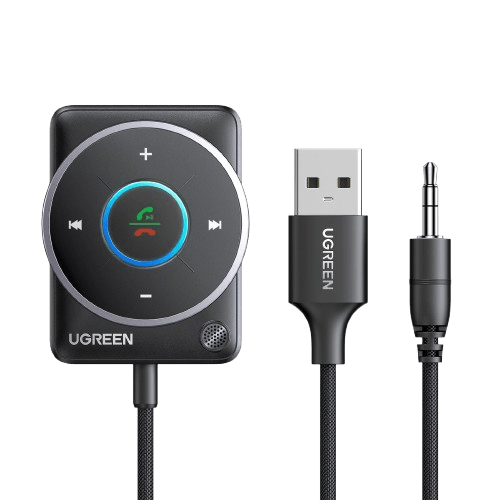
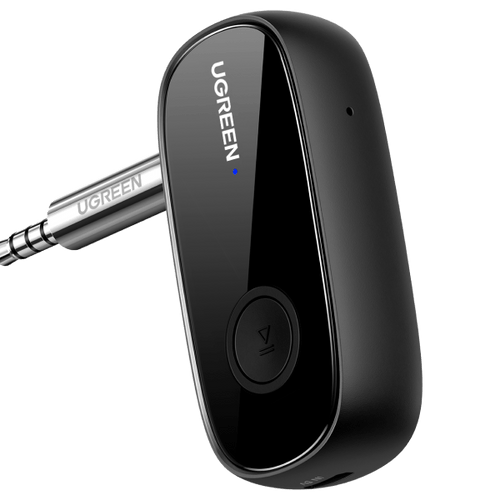
A Bluetooth adapter is a device that adds Bluetooth capability to a computer, TV, car stereo, or other hardware that doesn’t have Bluetooth built in. It works by creating a Bluetooth radio link, letting your device pair with Bluetooth accessories (headphones, speakers, keyboards, mice, controllers, phones) to send/receive data or audio.
How it works in practice:
1. You plug it in (USB/PCIe/AUX/optical, depending on type)
2. The system loads a driver (automatically or manually)
3. You put the adapter and your Bluetooth device into pairing mode
4. Once paired, it maintains a wireless connection for audio or data
The key difference is what direction the audio/data is meant to go and what device it’s designed for:
Bluetooth adapter (general term): Can mean different things, but most commonly refers to a Bluetooth dongle for PCs that adds Bluetooth for both sending and receiving data/audio (two-way communication).
Bluetooth transmitter: Usually means an audio transmitter that sends sound from a non-Bluetooth source (TV, PC, airplane screen, Nintendo Switch dock) to Bluetooth headphones/speakers. It’s often audio-only and not meant for keyboards/mice.
Quick rule:
1. Need Bluetooth for keyboard/mouse/controller = choose a Bluetooth adapter (PC Bluetooth dongle)
2. Need TV/old device audio to Bluetooth headphones = choose a Bluetooth transmitter
For TV use, a Bluetooth transmitter is designed to send the TV’s audio out to Bluetooth headphones or speakers, which is what most people actually need. A Bluetooth adapter for TV is a broader term that’s often used to mean the same thing, but in some cases it refers to a Bluetooth receiver, which does the opposite by receiving Bluetooth audio (for example, from a phone) and outputting it to a wired speaker system.
A quick way to choose is: TV → Bluetooth headphones = Bluetooth transmitter, phone → wired speakers/sound system = Bluetooth receiver. If a device supports both TX/RX modes, it’s a 2-in-1 model, and you’ll usually see a mode switch or label for TX/RX.
Most USB Bluetooth adapters are plug-and-play on Windows 10 and Windows 11. You plug in the dongle, Windows typically detects it, installs the built-in driver automatically, and then Bluetooth shows up in Settings > Bluetooth & devices so you can pair headphones, keyboards, mice, and more.
In some cases, you may need a manufacturer driver, especially with older or very cheap adapters or models that rely on custom vendor software for full features (like better profile support or BLE). If it doesn’t install automatically, check Device Manager, try Update driver, or download the driver from the adapter brand’s website.
Most Bluetooth adapters are best thought of as “reliable room range.” Common USB Bluetooth dongles are typically Class 2, which usually delivers about 10 meters (30 ft) indoors in real use, and less once walls, metal, or dense building materials get in the way. “Long-range” Class 1 adapters can reach much farther in open, line-of-sight conditions (often 30–100 meters), but indoor range still drops sharply due to obstacles and interference.
Real range is also limited by the weaker side of the connection, not just the PC adapter. Small devices like earbuds, controllers, and phones can cap the link distance, and 2.4 GHz congestion (Wi-Fi, USB 3.0 noise), plus adapter placement, can reduce stability. A simple improvement is to use a short USB extension cable and place the adapter in the open instead of behind a desktop tower, which often boosts real-world range more than chasing higher advertised numbers.