Powered vs Unpowered USB Hub: Which USB Hub Should You Buy?
When you need to connect multiple devices to your computer, choosing between a powered vs unpowered USB hub can make a big difference. The type of hub you use affects device compatibility, charging capability, and overall stability. Some setups only need a simple hub for keyboards or flash drives, while others involve external hard drives, webcams, or other high-power peripherals that require more reliable power delivery.
In this guide, we’ll break down the key differences between powered and unpowered USB hubs, how each type works, and which option makes the most sense for your workspace or laptop setup.

What Is a Powered USB Hub?
A powered USB hub is a USB hub that uses its own external power adapter to supply electricity to connected devices instead of relying entirely on the computer’s USB port. This allows the hub to support multiple high power devices while maintaining stable performance.
Key Benefits
- Supports high power devices like external hard drives, printers, and scanners
- Provides stable power delivery to prevent device disconnects
- Maintains consistent data transfer speeds when several devices are connected
How Does It Work?
A powered USB hub draws electricity from an external power adapter and distributes that power across its ports. This allows each connected device to receive sufficient current, even when several peripherals are used at the same time.
At the same time, the hub manages data communication between the computer and connected devices, ensuring stable file transfers and reliable connections.
Common Applications
Powered USB hubs are commonly used in setups that involve several demanding peripherals, such as:
- External storage drives used for backups or file transfers
- Audio interfaces and other professional equipment
- Desktop workstations with printers, webcams, and multiple USB accessories
What Is an Unpowered (Bus-Powered) USB Hub?
An unpowered USB hub, also called a bus-powered hub, draws both power and data directly from the computer’s USB port and does not use an external power adapter. Because of this, the available power must be shared across all connected devices.
Key Benefits
Despite the power limitations, unpowered hubs remain popular because they are:
- Compact and portable, making them ideal for travel
- Simple plug and play devices that require no power adapter
- Affordable solutions for connecting low-power accessories
How Does It Work?
Unpowered USB hubs take electricity directly from the host computer’s USB port and distribute it to connected devices. While this design makes them lightweight and convenient, the total power available is limited. As a result, high power peripherals may not function properly, especially when several devices are connected at the same time.
Common Applications
Unpowered hubs are best suited for lighter usage, such as:
- Adding extra ports for keyboards and mice
- Temporary laptop setups when traveling
- Connecting USB flash drives or small accessories
Powered vs Unpowered USB Hub: Key Differences
Understanding the difference between powered and unpowered USB hubs helps you choose the right hub for your devices and workflow.
Power Supply and Charging Capability
The biggest difference is how power is delivered. Powered hubs use an external adapter to provide consistent current to connected devices. This allows them to run high power peripherals such as external hard drives or printers. Unpowered hubs rely entirely on the computer’s USB port, which limits their ability to charge devices or power demanding hardware.
Device Compatibility and Performance
Powered hubs can support multiple devices simultaneously without noticeable performance issues. This makes them a good choice for workstations or professional setups. Unpowered hubs work best with low-power peripherals, including keyboards, mice, and USB flash drives.
Port Stability with Multiple Devices
When several devices are connected, powered hubs maintain stable connections and reliable power distribution. Unpowered hubs may experience voltage drops or random disconnections if too many devices draw power at the same time.
Portability and Setup Requirements
Unpowered hubs are small, lightweight, and easy to carry, making them ideal for laptop users on the go. Powered hubs require an external adapter and access to a power outlet, but they provide stronger performance and greater reliability.
Comparison Table
|
Feature |
Powered USB Hub |
Unpowered USB Hub |
|
Power Source |
External adapter |
Computer USB port only |
|
Device Support |
High-power devices, multiple peripherals |
Low-power devices, limited number of peripherals |
|
Performance |
Stable with multiple devices |
May drop connections under heavy load |
|
Portability |
Less portable |
Highly portable |
|
Charging Capability |
Supports device charging |
Limited or no charging |
How to Choose the Right USB Hub for Your Setup
Choosing between a powered and unpowered USB hub depends on the type of devices you use and how much power they require.
When to Choose a Powered USB Hub
Powered USB hubs are the better option for setups that require stable power and support for multiple peripherals. A high performance solution such as the UGREEN Revodok Max 13-in-1 Thunderbolt 4 Docking Station expands USB connectivity while also providing power delivery and additional ports for monitors, storage devices, and accessories.
UGREEN Revodok Max 13-in-1 Thunderbolt 4 Docking Station

{{UGPRODUCT}}
For High-Power Devices
External hard drives and other high current peripherals benefit from a powered hub because each device receives enough electricity to operate reliably.
UGREEN 9-in-1 Steam Deck Docking Station

{{UGPRODUCT}}
For Desktop Workstations
Desktop setups with multiple devices, such as keyboards, printers, webcams, and storage drives, benefit from a powered hub’s stable connections and consistent performance.
UGREEN Revodok Pro 209 9-in-1 4k HDMI Universal Docking Station

{{UGPRODUCT}}
For Professional Workflows
Content creators and video editors often connect cameras, audio interfaces, and storage drives simultaneously. A powered hub helps maintain smooth operation across all devices.
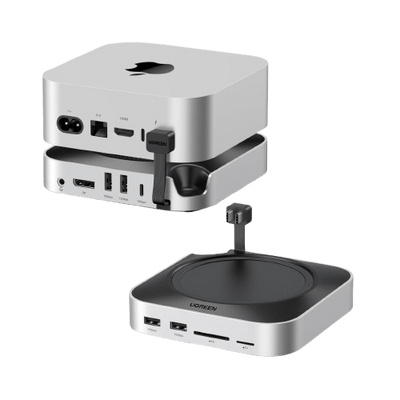
UGREEN Mac mini M4 Dock with 4K144Hz Display Port and SSD Enclosure

{{UGPRODUCT}}
When to Choose an Unpowered (Bus-Powered) USB Hub
Unpowered hubs are better suited for portable or light use situations.
For Travel and Laptop Setups
If you’re working from a laptop in different locations, an unpowered hub is easy to carry and allows quick connection of several accessories without needing an outlet.
For Low Power Devices
Keyboards, mice, and flash drives typically require minimal power, making them ideal devices for an unpowered hub.
For Basic USB Expansion
If you simply need a few extra USB ports, an unpowered hub offers a convenient and affordable solution.
Final Considerations for Choosing a USB Hub
When selecting a USB hub, consider the devices you plan to connect and how much power they require. Powered hubs provide stable connections and support high demand peripherals, while unpowered hubs are compact and better suited for portable setups or low-power accessories. Choosing the right hub helps ensure reliable performance, stable connections, and efficient use of your USB ports.
FAQs About Powered and Unpowered USB Hubs
Can an Unpowered USB Hub Charge Devices?
Yes, an unpowered USB hub can charge devices, but only low-power accessories. Because a bus-powered hub draws electricity directly from the computer’s USB port, the available power is limited. It usually works fine for small devices like keyboards, mice, or USB flash drives, but it often cannot supply enough current for power-hungry devices such as smartphones, tablets, or external hard drives. For consistent charging performance, a powered USB hub is generally recommended.
Do Powered USB Hubs Improve Data Transfer Speed?
No, powered USB hubs do not increase the maximum data transfer speed set by the USB standard. However, they help maintain stable performance when multiple devices are connected. Because each device receives consistent power, the system is less likely to experience slowdowns or interruptions during large file transfers or when several peripherals are active at the same time.
How Many Devices Can a USB Hub Support at Once?
The number of devices a USB hub can support depends on its design and power capacity. Unpowered hubs rely on the computer’s USB port and are usually limited to a few low-power devices. Powered hubs, on the other hand, can support several higher-power peripherals simultaneously, including external drives, printers, webcams, and other USB accessories.
Is a Powered USB Hub Safe for Laptops?
Yes, a powered USB hub is safe for laptops when it uses the correct voltage and current specifications. A properly designed hub distributes power efficiently and prevents the laptop’s USB port from being overloaded. This helps ensure stable performance for connected devices while protecting the laptop’s internal hardware.
Can You Use a Powered USB Hub Without the Power Adapter?
Yes, but the hub will typically function like an unpowered USB hub if the external adapter is not connected. This means the available power will be limited to what the computer’s USB port can provide. As a result, high-power devices may not operate properly. For best performance and device compatibility, it’s recommended to use the hub with its included power adapter.